Event operations for chapter-based organizations

Plan for who's coming.
Know who came.

ChapterIQ runs the local meetings your chapters hold every month. It invites the right people from your CRM, collects real RSVPs, and reminds only the people who haven't answered. It checks everyone in at the door. When the meeting closes, you get a reconciliation your sponsors and caterers can trust, and a clear view of which member companies are actually participating.

ChapterIQ syncs with Salesforce, HubSpot, Dynamics 365, or a spreadsheet, and there are no per-registrant fees.
The examples on this page use the Mountain States Cattle Ranchers Association, a fictional network of 19 chapters.
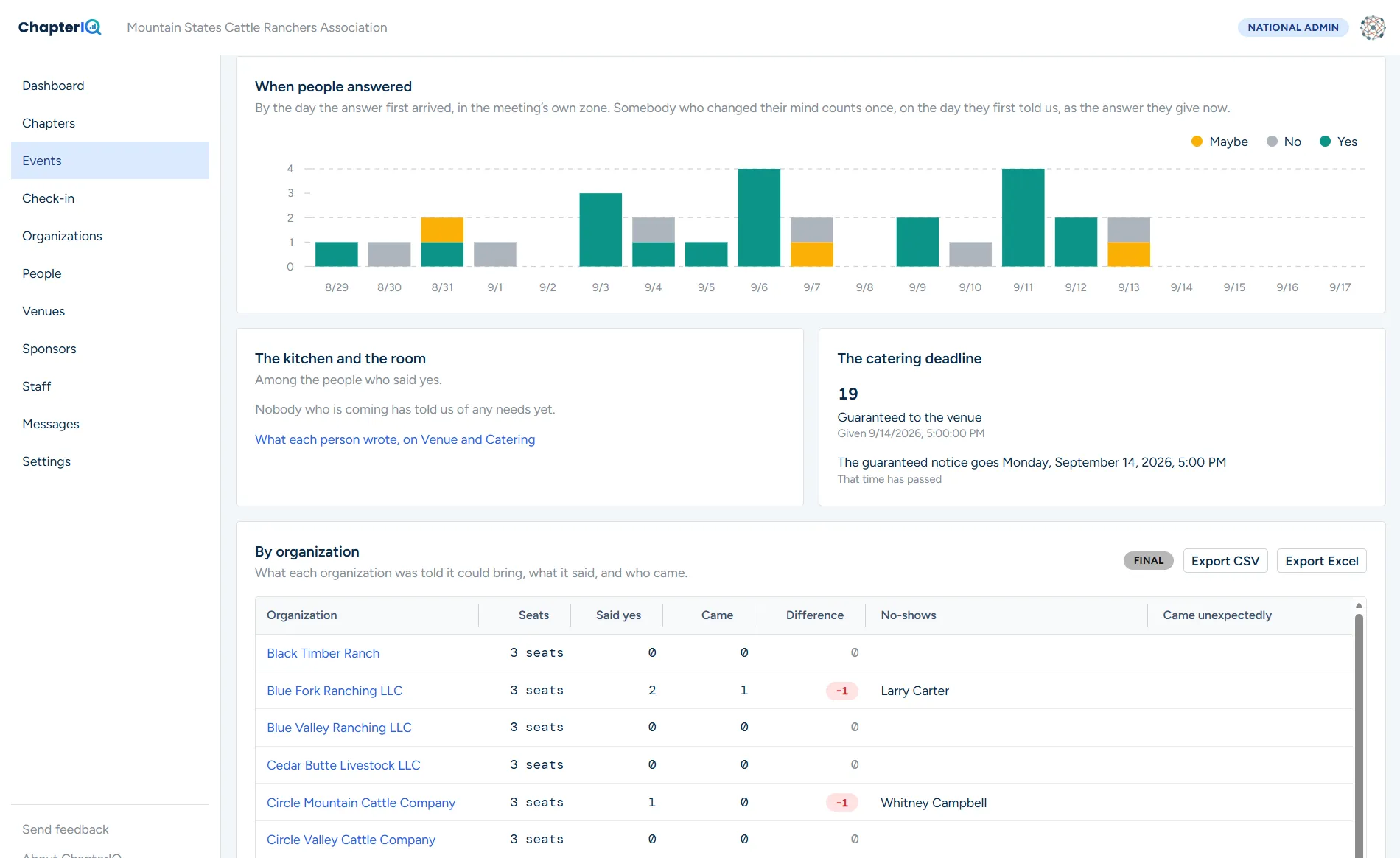
Eastern Montana August Lunch MeetingClosed 12 min ago
45
Said yes
40
Checked in
6
No-shows
1
Walk-ins
Member companySeatsYesCame
Black Mesa Ranch LLC333
Dry Creek Cattle Co.323
Open Pine Ranch322
Double River Ranch LLC311
White Ridge Stock Farm332
Headcount accuracy 89% · Guaranteed 45, served 40Sponsor roster sent ✓
The problem

Four things chapter managers say the week of a meeting

Outlook invitations and a spreadsheet will get a meeting onto the calendar. They won't tell you how many people to feed, who actually came, or what to send the sponsor afterward.

Today
"Who's actually coming Thursday?"

An Outlook accept is not an RSVP. It doesn't tell you whether a colleague is coming along, whether anyone has a dietary need, or how many seats a company is entitled to.

With ChapterIQ, every invitee gets a proper RSVP page, and seats and dietary needs are captured for each company.
Today
"Stop reminding me, I already said yes."

Reminder emails go to everyone because nobody has a clean list of who hasn't answered yet.

With ChapterIQ, reminders go only to the people who haven't responded.
Today
"We ordered for 90 and 62 showed up."

Sometimes it goes the other way, and 110 people arrive and the food runs out. Either way, nobody compared the RSVP list against who actually walked through the door.

With ChapterIQ, you check people in at the door, and the headcount forecast for the next meeting improves on its own.
Today
"The sponsor needs every attendee's name by Friday."

Sponsors need a roster for their expense reports. Assembling one from sign-in sheets and memory takes hours, and it is never quite right.

With ChapterIQ, the roster and expense summary go out as soon as the meeting closes.
How it works

Five steps, every meeting, in every chapter

You set up a meeting from a template in about two minutes. ChapterIQ handles everything from there and hands you the numbers when the meeting is over.

Sync the roster

Your member companies and their people come in from Salesforce, HubSpot, Dynamics, or a spreadsheet. Their chapter assignments come with them.

Invite with seat allocations

Each company gets a set number of seats, and you can leave out anyone who shouldn't be invited. Every invitation includes a calendar hold and a personal RSVP link.

RSVP their way

Each person can answer for themselves. Or a member company can name one coordinator who responds for the whole team, adds a new hire, and records dietary needs. Either way, everyone gets their own confirmation.

Remind only who needs it

People who haven't responded get a nudge. People who have responded get the logistics the day before. Nobody gets a message they didn't need.

Check in and reconcile

At the door, you tap a name or scan a code, add any walk-ins, and close the meeting. Your no-shows, walk-ins, catering variance, and sponsor roster are ready as soon as you do.

Who it's for

Built for networks where members are organizations and meetings are local

Most event tools assume that every attendee registers as an individual and that every event is a one-off. If your members belong through a company, and your chapters meet in person on a regular schedule, those tools fit badly. ChapterIQ was designed for exactly that kind of network.

Purchasing groups and buying networks
HQ → regional markets → member companies → their people

Your members are businesses. Each one sends a few people to a monthly market meeting that a preferred vendor sponsors and caters.

ChapterIQ gives each member company its own seat allocation and produces the vendor's attendee roster when the meeting closes. It also shows you which companies have gone quiet in each market.

Professional and trade associations
National → chapters → member firms → members

Dozens or hundreds of chapters run luncheons, education sessions, and mixers. Most of them are led by volunteers with very little staff support.

Chapter leaders run their own events while headquarters sees all of them. Attendance history is kept for continuing-education credit and engagement tracking, and chapters can be compared without anyone building a spreadsheet.

Nonprofit networks and coalitions
Intermediary → regions → partner organizations → staff

A statewide or national organization brings local partner agencies together for training and networking. Often a grant pays for it, and the funder expects attendance reporting.

One person can register a partner agency's whole team. Accommodation and dietary needs are captured for each attendee, and attendance reports by organization are ready for the funder.

Participation

Who is showing up, who has gone quiet, and how every chapter compares

Meetings are where members become involved in a network, and involved members are the ones who buy through it, renew, and refer others. ChapterIQ turns attendance records into a clear picture of participation that headquarters can act on every month. It also writes that picture into your CRM, right next to your purchasing and renewal numbers.

Organization participation · trailing 6 months362 of 398 member companies · 91%
ChapterMembersParticipatedvs prior
Eastern Montana27100%+7 pts
Bighorn Range24100%±0 pts
Green River Country15100%+13 pts
Central Montana2492%+8 pts
Northeast Montana2190%±0 pts
Kittitas Valley2483%+12 pts
Yellowstone Country2282%-9 pts
Central Wyoming1974%-11 pts
Sorted by participation · 8 of 19 chapters shown36 companies not seen since March
Engagement tiers, network-wide
Core · 151Occasional · 150Rare · 61Not seen · 36
Central Wyoming: 5 companies not seen, down 11 pointsSent to the chapter manager as a call list ✓
  • Participation by organization, not just headcount. The question that matters is not how many people came. It is which member companies were represented, and which ones have not been seen in six months.
  • Every chapter on one screen. Participation rate, response rate, no-show rate, and trend appear side by side for every chapter. The chapters that need help stand out, and the ones doing well can be studied.
  • A call list, not just a chart. The list of companies not seen recently includes their last attendance, their primary contact, and their chapter manager. You can message that list directly or export it for your account managers.
  • Engagement tiers on every organization. Every organization is classified as core, occasional, rare, or not seen, based on its attendance history. The tier appears on the organization's page and in your CRM.
  • The signal goes where the money is. Last attendance, events attended, engagement tier, and RSVP reliability are written to the CRM account on a schedule. Purchasing, renewal, and participation then live on the same record, where your own reports and alerts can use them.
For purchasing groupsMembers who participate work with more of your preferred vendors and buy more through the network. That means rebate dollars for them and volume fees for you. When a company stops showing up, a purchasing relationship is at risk, and ChapterIQ tells you which one.
For associationsChapter participation is the strongest early signal that a member will renew. A member who attended nothing this year is the one your renewal campaign should reach first, and the outreach can come from their own chapter.
For nonprofit networksFunders want to know which partner organizations took part in training and convenings, how often they came, and whether participation grew. ChapterIQ produces that report by organization, and nobody has to build a spreadsheet.
The math

Headcount accuracy is money

At free events, somewhere between a quarter and half of the people who said yes typically don't show up, while others arrive unannounced. The defaults below describe a 19-chapter association that holds monthly member meetings and quarterly evening socials. Move the sliders to match your own network.

$47,880
Catering ordered for people who didn't come, per year, at today's no-show rate
285
Meetings per year
1,710
Uneaten plates per year
$23,940
Recovered with better headcounts
$84
Recovered per meeting

The recovery figure assumes you order to a forecast built from each chapter's own no-show and walk-in history, rather than to the raw RSVP count. It does not include sponsor time, staff time, or the cost of running out of food.

Venues and catering

The room and the food, handled before the first invitation

Most chapter meetings happen in the private room of a local restaurant, or in a hall with food brought in. ChapterIQ keeps each chapter's regular places on file and handles the back-and-forth with them.

  • A go-to list for each chapter. Each chapter keeps its own list of restaurants, halls, and caterers. Every entry has a contact person and the lead time they need for a guaranteed count. It also records their minimum, their capacity, their usual price per plate, and how often you have used them.
  • Ask several at once. From a draft event, you can pick three venues and send each one an availability request. The request includes the date, time, expected headcount, meal, bar arrangement, and budget. Venues answer from a link and never need an account.
  • Compare and choose. The answers line up side by side. When you pick one, its price, minimum, and deadline flow into the event, and the other venues receive a polite release automatically.
  • Three headcounts, on the venue's schedule. The venue gets a preliminary count a week out, a guaranteed count at its own deadline, and a final count just before the meeting. Each one includes dietary needs, arrival time, and the bar arrangement. The venue acknowledges with one click.
  • Close the loop. After the meeting, the venue can record how many plates were served and what the tab came to. The difference between what you guaranteed, who came, and what was served becomes a number instead of an argument.
  • Order to history, not to hope. Once a chapter has a few meetings behind it, ChapterIQ recommends a headcount based on that chapter's own no-show and walk-in pattern. It even accounts for the winter months.
Sourcing · Central Montana October Lunch Meeting3 asked · 2 available
Stockmen's Club
Cattlemen's Grill
Rimrock Steakhouse
Availability
Available
Available
Booked
Room
Club room, 80
Private dining, 60
Per plate
$32
$28
Minimum
20
15
Count needed by
3 days
3 days
Last used
Jun 2026
Aug 2026
Mar 2026
Cattlemen's Grill selected · Stockmen's Club releasedCatering plan filled ✓
To: Lindsay Farrow, The Cattlemen's Grill · Guaranteed count
Central Montana Lunch Meeting, Tue Oct 20, arrive 11:15 for 11:30
Guaranteed
31 guests (34 said yes, 2 waitlisted)
Dietary
2 gluten-free · 1 nut allergy · 1 vegetarian
Bar
None
Host
Sadie Thornton, (555) 0104-4400
Acknowledged by Lindsay Farrow · Oct 17, 2:12 pmFinal count goes out Oct 19, 3:00 pm
Sponsors and expenses

What the sponsor paid for, and who was there, in one document

The vendor who bought lunch or hosted the bar has to file an expense report, and that report needs every attendee's name on it. ChapterIQ produces it the moment the meeting closes.

Rimrock Feed & Mineral · Meet the Vendors Social, Sep 17Closed
41
Attended
23
Companies
78
Drink tickets
$41
Per attendee
Dinner buffet · 41 served of 44 guaranteed · $32$1,312.00
Hosted bar · 78 tickets · cap $2,000$372.00
Sponsor total$1,684.00
Roster: 41 names, 40 shared, 1 withheldSent to Marcus Whitfield as PDF + Excel ✓
  • Attendee rosters that pass expense review. The roster lists the name, company, title, and email of everyone who actually checked in. It comes in the sponsor's preferred format, with the event, date, chapter, and sponsor named in the header.
  • Food and bar on separate lines. Most expense policies treat meals and alcohol differently. The report shows plates served and the bar tab as two separate lines, each with a cost per attendee, so nobody has to split a receipt by hand.
  • Drink tickets that reconcile. At a social with drink tickets, check-in records how many each guest received. Tickets issued can then be matched against the tab and the sponsor's cap.
  • Delivered automatically, or after a review. You can send the report the moment the meeting closes, or hold it until the chapter manager has looked it over. Download links expire.
  • Respect for consent. Attendees can decline to share their details with a sponsor. They are still counted, but they are not named.
  • The sponsor's own view. A sponsor portal shows each sponsor every event they have supported, how many unique companies they reached, and their reach by chapter. That is what they bring to their own renewal conversation.
Features

Everything between "you're invited" and "here's who came"

Chapter management

Assign staff to one chapter or several. Chapter managers see only their own chapters, and headquarters sees all of them.

Organization-level invitations

Include or exclude whole companies as well as individuals. Each company gets a seat allocation that you can override, and the room limit comes with a waitlist that promotes people automatically.

Individual or coordinator RSVP

This is a setting for each member company. Either everyone responds for themselves, or one designated person answers for the whole team, adds new people, and enters dietary needs for each of them.

Calendar-native

An invitation places a hold on the calendar, a confirmation makes it firm, and any change updates it. Outlook and Google Calendar stay in sync without a single Outlook invite.

Targeted reminders

Reminder rules send to non-responders before the deadline and to registrants before the event. You can pause a rule, edit it, or send it right now.

Door check-in

Tap a name, scan a QR code, or let attendees check themselves in. Walk-ins take seconds to add, and several staff can work the door at once.

Reconciliation

See expected versus actual attendance, no-shows, walk-ins, headcount accuracy, and catering variance for every meeting and every company.

Sponsor rosters

Sponsors get the attendee list they need for their expense report in CSV, Excel, or PDF. Food and bar totals appear on separate lines, and the report goes out automatically when the meeting closes.

Templates and recurring meetings

Save a meeting as a template or set up a monthly series. The next meeting takes about two minutes to create, and its reminders and sponsor settings come along with it.

Venues and caterers

Keep each chapter's regular restaurants, halls, and caterers on file. Ask three of them for availability in one click, compare their answers side by side, and pick one. The others are released, and the winner receives a preliminary, guaranteed, and final headcount without ever logging in.

Follow-ups with attachments

Send the slides to attendees and a note to the people who missed it. Every message is logged against the person who received it.

Dashboards and reports

Watch a live funnel for each event and follow chapter trends over time. A national view compares every chapter on response, attendance, and reliability.

API and MCP server

All of your data is available through a documented REST API and a hosted MCP server. Your analysts and AI assistants can ask questions of it directly.

Sign in with Microsoft

Staff sign in with the Microsoft 365 or Google work account they already have. There are no passwords to manage and nothing for your IT team to set up. Enterprise single sign-on is available when you want it.

Privacy by design

Signed links, chapter-scoped access, consent for sponsor sharing, audit logs, and retention rules for sensitive fields are all built in.

Integrations

Your CRM stays the source of truth

ChapterIQ never asks you to migrate your membership database. It reads the organizations and people it needs, and it can write participation back to your CRM if you want it to. Pick an integration to see how it works.

Salesforce, at whatever pace your admins can manage

  • Start without a ticket. Anyone who can build a Salesforce report can subscribe it to a ChapterIQ email address with the file attached. Your roster then updates itself on a schedule, and no administrator has to be involved.
  • Move to a live connection in fifteen minutes of admin time. When your admins are ready, we give them an installable permission set, an illustrated runbook, and a one-page security summary they can paste into their internal ticket. There is nothing to design, no custom fields, and no change to your org.
  • The live connection uses a dedicated integration user. Its permission set grants read access to Accounts, Contacts, and only the fields you choose to map.
  • Record visibility is limited to your division inside Salesforce itself. ChapterIQ applies its own filter as a second layer, never as the only one.
  • The initial load runs through the Bulk API, and incremental syncs run on a schedule. Paid Change Data Capture is not required.
  • Dietary and accommodation details never leave ChapterIQ. If you turn on write-back, it is limited to Campaign Member status.
  • One screen in ChapterIQ shows exactly what this vendor can see, and you can export it for a security review.
ConnectionLive · integration user
Before thatWeekly report subscription · 14 imports
ObjectsAccount, Contact
Fields14 mapped
FilterAccount Type = "MSCRA Member"
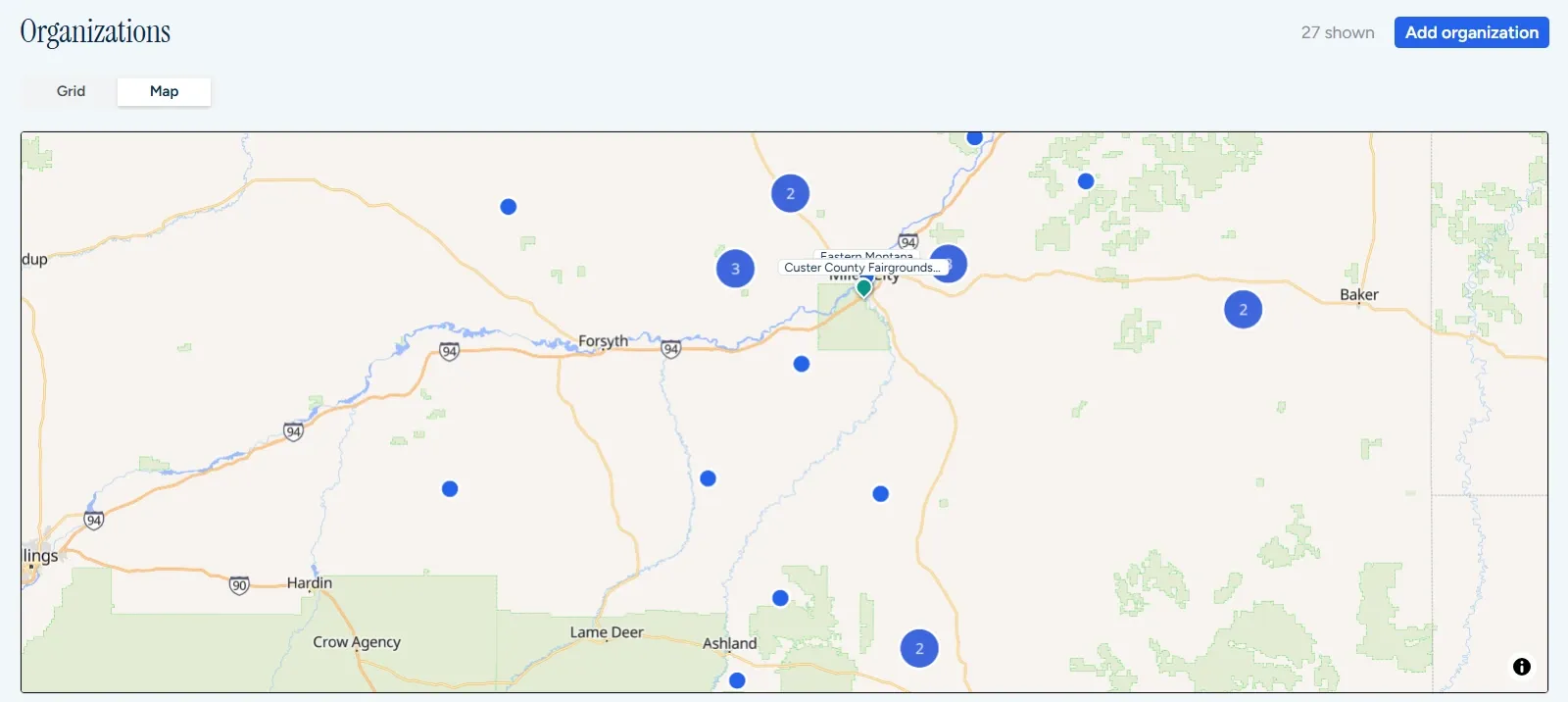
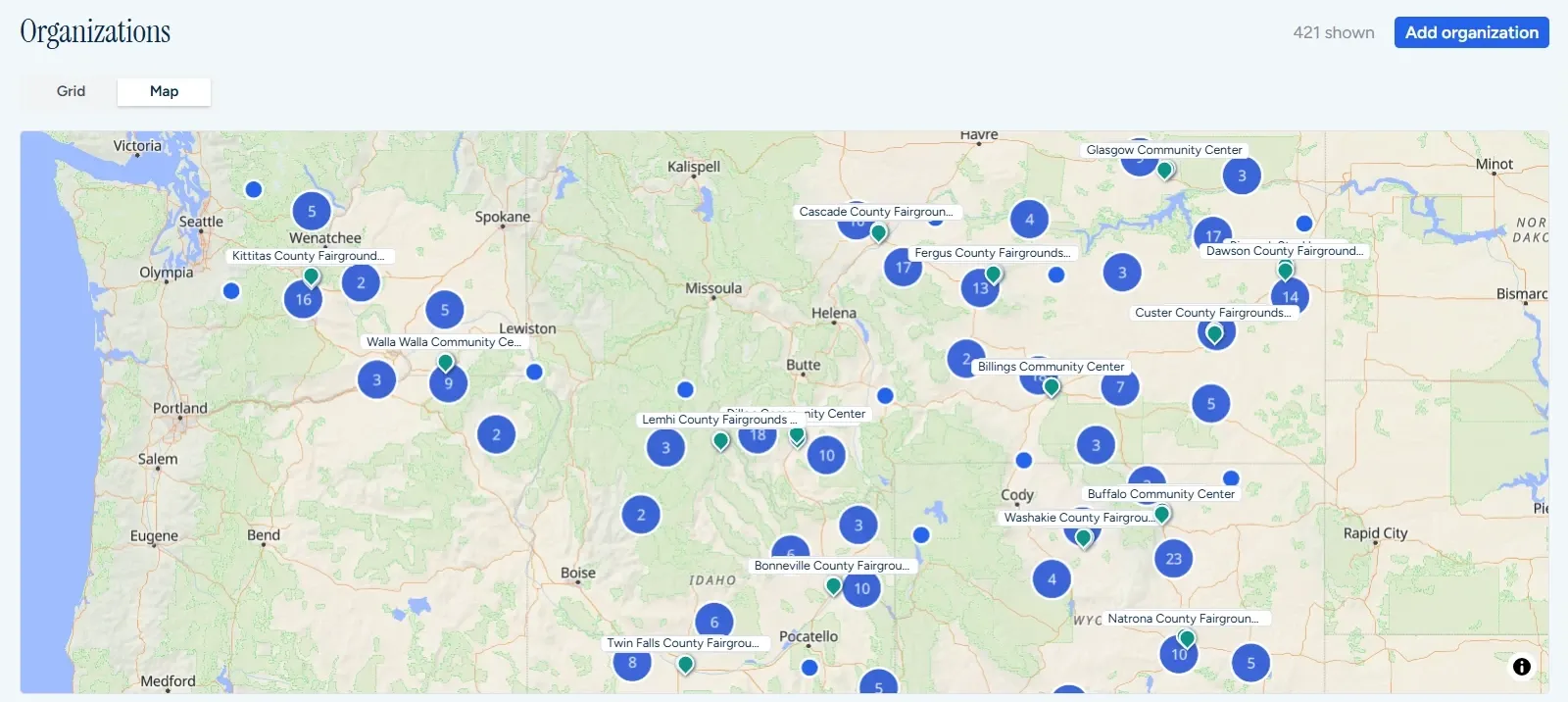
Visible records421 accounts · 1,277 contacts
Last syncToday 06:00 · 37 updated
Write-backOff
Pricing

Priced by chapter, not by registrant

Every plan includes unlimited events, unlimited RSVPs, and unlimited staff users. You should never have to think twice about inviting someone.

Chapter
$99
per month, billed annually
For a single chapter, or a small network that is ready to move off spreadsheets.
  • Up to 3 chapters
  • Excel and CSV roster import
  • Individual or coordinator RSVP
  • Dietary fields and calendar sync
  • Reminder rules and door check-in
  • Reconciliation and standard reports
Start with Chapter
Network
$499
per month, billed annually
For regional networks that need CRM sync and sponsor reports.
  • Everything in Chapter, plus
  • Up to 15 chapters
  • Salesforce, HubSpot, Dynamics sync
  • Send from your own domain
  • Seat allocations per organization
  • Sponsor rosters on close
  • National dashboard
Start with Network
Scale
$1,499
per month, billed annually
For national organizations with dozens of chapters and a data team.
  • Everything in Network, plus
  • Up to 50 chapters
  • REST API and MCP server
  • Single sign-on and custom fields
  • Sponsor portal and webhooks
  • Attendance reliability scoring
Talk to us about Scale
Enterprise
Custom
annual agreement
For networks with more than 50 chapters, a multi-region hierarchy, or a need for a dedicated environment.
  • Everything in Scale, plus
  • Unlimited chapters
  • Regional roll-ups
  • Send through your own email provider
  • Dedicated environment and SLA
  • Implementation and data migration
  • Security review support
Contact sales
Every plan includes everything in the plans before it. Additional chapters beyond a plan's allowance cost $30 per chapter per month, and SMS reminders are metered. Nonprofit pricing is available. You can pay annually by invoice with ACH, wire, or check, or monthly by card.
Questions

What people ask first

Do our members need accounts?

No. Each invitee gets a personal link, and they use it to RSVP, change their answer, and check in. Only your staff sign in, and they do that with the Microsoft or Google work account they already have, or with an emailed link. There is nothing for your IT department to set up.

We use Outlook invitations today. What changes for members?

They still get a calendar entry. The invitation places a tentative hold, the confirmation makes it firm, and any change updates it. What they gain is a real RSVP page that asks the right questions.

Does one person have to respond for the whole company?

No. It is a setting for each member organization. By default, everyone gets their own invitation and answers for themselves. A company can instead designate a coordinator, such as an owner or office manager, who receives the invitation and responds for the whole team. Either way, everyone marked as attending gets their own confirmation and reminders. You can also let the rest of the team know that their coordinator is handling it.

How do seat allocations work?

You set a default number of seats per organization for an event and override it for specific companies. When a company reaches its allocation, further yes responses are waitlisted until you raise the limit or promote them.

What do sponsors receive?

When the meeting closes, each sponsor receives an attendee list containing only the fields you allow. It comes as CSV, Excel, or PDF, and the header names the event, date, chapter, and sponsor. You can review it before it goes out, and attendees can opt out of being shared.

Do we need our Salesforce admins to set anything up?

Not to start. If you can run a report, you can subscribe it to ChapterIQ, and your roster stays current with no administrator involved. When your admins have fifteen minutes, we give them an installable package, a step-by-step runbook, and a security summary for their ticket. The live connection then takes over with your history intact. Access runs through a dedicated integration user whose permissions and sharing rules stay under their control, and ChapterIQ shows exactly what it can see.

Is there an API?

Yes. There is a documented REST API and a hosted MCP server. The MCP server lets AI assistants such as Claude, ChatGPT, and Copilot query your events, RSVPs, and attendance with the same permissions as any other API credential.

Who do the invitations come from?

That is your choice, and it can change over time. On day one, invitations come from a ChapterIQ address that carries your organization's name, and replies go to your chapter manager. Nothing has to be set up. When your DNS administrator has ten minutes, they can add three records that we generate, and mail will come from your own domain. Enterprise customers can also send through their own email provider.

Will invitations land in spam?

We take deliverability seriously, because a reminder in the junk folder is worse than no reminder at all. Mail goes out from authenticated domains on dedicated sending infrastructure that is warmed up and isolated for each customer. Bounces are handled automatically, and sends are spread out rather than sent all at once. Sending from your own domain makes it better still.

How do we pay?

Network, Scale, and Enterprise customers receive an annual invoice that can be paid by ACH, wire, or check. We can work from a purchase order if your accounts payable team needs one, and we send the W-9 and vendor paperwork up front. A card works too. Monthly card billing is available on the Chapter and Network plans.

What happens to our data if we leave?

It is yours. You can export organizations, people, events, RSVPs, and attendance history as CSV or Excel at any time, or pull them through the API. After a contract ends, we keep your data for 90 days so you can export it, and then we delete it.

Does it handle paid events?

Not yet. ChapterIQ is built for member meetings that are free to attend. Paid registration is on the roadmap.

Pilot program

Try it in two chapters for three meetings. Keep it if the numbers are better.

We set up your chapters and connect your roster. Then we measure headcount accuracy and catering variance against your current numbers. Most networks see the difference at the first meeting.

This opens a message in your email program addressed to info@chapteriqevents.com. We use what you send only to reply. Privacy Policy.